print("Hello World!")Hello World!In this workshop, you will learn the basics of the Python programming language. This is a course for beginners, so you do not need to be fluent in any other programming language. In fact, it is perfectly fine if you have never programmed before.
We will start from scratch and learn how to set up a working Python environment, including package management and related housekeeping tasks. Once Python is installed on your computer, we will dive into the elegant syntax and basic building blocks of the Python language, such as functions, conditions, and loops. We will then discuss important data types in Python, focussing on strings, lists, and dictionaries. Afterwards, we will start using these building blocks to solve simple tasks such as reading/writing text from/to a file. Finally, we will briefly introduce widely used third-party packages for scientific computing. Specifically, we will touch upon packages that allow us to efficiently work with numerical data and tabular data.
With that out of the way, let’s get started!
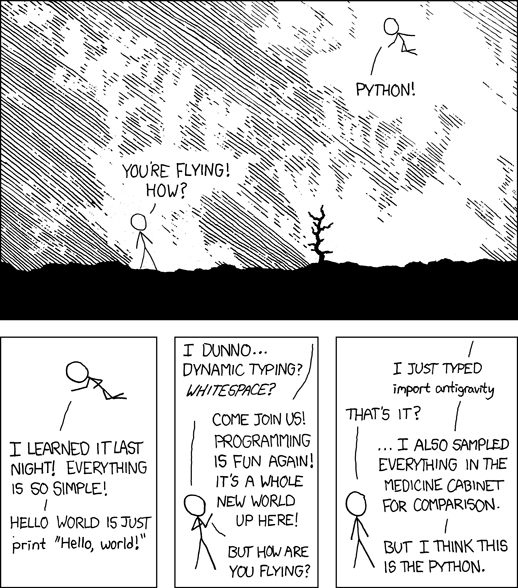
Here are some facts about Python:
Python was first released by Guido van Rossum way back in 1991, and its popularity has skyrocketed in the past years. While there are many ways to measure the popularity of a programming language, Python has consistently ranked among the top languages for years (for example according to PYPL, the TIOBE index, and the IEEE Spectrum Top Programming Languages). Also, one of the results of the Stack Overflow Developer Survey 2025 is that Python is among the most popular technologies as well as highly admired and desired.
So far, we have only talked about Python without seeing what the language actually looks like. Here’s a sneak peak at what you will be able to understand after completing this course (gray boxes contain Python code, whereas the result of a line of code is shown directly below it):
print("Hello World!")Hello World!"only lower case letters".upper()'ONLY LOWER CASE LETTERS'for i in range(10):
print(i, end=", ")0, 1, 2, 3, 4, 5, 6, 7, 8, 9, [k**2 for k in range(0, 100, 10)][0, 100, 400, 900, 1600, 2500, 3600, 4900, 6400, 8100]In summary, Python is extremely popular and fun to use, so in the next section we’re going to discuss how to install it on our computer.
The official Python website is a great resource for everything related to Python. The download section contains installers for many platforms, including Windows and macOS. If you are on Linux, I recommend that you use your package manager (such as apt, yum, or pacman) to install Python (in most cases, Python will already be installed anyway). You should install the latest stable version (which is Python 3.14 at the time of writing).
On Windows, make sure to check the option “Add python.exe to PATH”. I strongly recommend to use the default values for all other settings.

On macOS, run both “Install Certificates” and “Update Shell Profile” commands available in the application folder after the installation is complete:

After installing Python, it is instructive to enter some simple Python commands and see what happens. The program which understands and interprets Python commands is called the Python interpreter. It can be invoked in various ways, but one of the easiest options is to run it from the command line (or terminal), a powerful text-based interface provided by your operating system.
python followed by Enter.python3 (followed by Enter).python (followed by Enter).The Python interpreter executable is called python on Windows and Linux, but python3 on macOS. If you use macOS, remember to always use python3 to start the Python interpreter.
A simple (black or white) text window will open – this is the so-called interactive Python interpreter. You can enter commands, and Python will happily try to execute what you just typed (the interactive interpreter is also called the REPL, short for read-eval-print loop).
The interactive Python interpreter includes a prompt, which is typically the character sequence >>>. This prompt indicates that Python is ready to receive user input. You can type a Python command and hit Enter to evaluate it. Python will immediately show the result of this command (if any) on the next line.
Throughout the course material, we show Python code in gray boxes and never include the prompt >>>.
Let’s try to use Python as a calculator. Python supports the four basic arithmetic operations (addition, subtraction, multiplication, and division):
1 + 1210 - 737 * 856120 / 717.142857142857142In addition, Python can also compute the result of integer division and its remainder:
120 // 717120 % 71Exponentiation (raising one number to the power of another) uses the ** operator:
2**6418446744073709551616Finally, Python knows the correct order of operations and is able to deal with parentheses (PEMDAS):
(13 + 6) * 8 - 12 / (2.5 + 1.6)149.0731707317073Note that Python accepts only regular parentheses (and not square or curly brackets) to group expressions:
((13 + 6) * 8) / (12 / (2.5 + 1.6))51.93333333333333Python uses a dot as the decimal separator and not a comma (as is common in German-speaking regions).
For more advanced calculations such as square roots, logarithms, or trigonometric functions, we need to import (activate) the math module to use the various functions it provides:
import mathAfter that, we can compute the square root of 2 as follows:
math.sqrt(2)1.4142135623730951Mathematical constants such as Euler’s number e (math.e) and \(\pi\) (math.pi) are also available:
1 + math.sqrt(math.e) * 7 - 2 * math.pi * 1.2224.862996449527442Install Python and start the interactive interpreter. Which Python version do you use and how can you find out?
What happens if you type import antigravity and import this in the Python interpreter?
Compute the result of the division \(4 / 0.4\). In addition, compute the integer result and the remainder.
Assume you measured the following values: 11, 27, 15, 10, 33, 18, 25, 22, 39, and 11. Calculate the arithmetic mean in a single line of code.
Evaluate the following mathematical expression in a single line of code (don’t forget to import math for the square root and \(\pi\)):
\[\frac{(5^5 - \pi) \cdot \frac{19}{3}}{\sqrt{13} + 7^{\frac{2}{3}}}\]
 This document is licensed under the CC BY-NC-SA 4.0 by Clemens Brunner.